As was recently announced here: http://d.hatena.com/hatena/20160204/145455216 , the Hatena user agreement and privacy policy have been revised.
The revised user agreement can be viewed via the link below.
As was recently announced here: http://d.hatena.com/hatena/20160204/145455216 , the Hatena user agreement and privacy policy have been revised.
The revised user agreement can be viewed via the link below.
On March 3rd, revisions will be made to the Hatena user agreement and privacy policy.
Until now, our user agreement varied from region to region, but because the main services of the international version have already been discontinued, we have decided to adopt a single, unified user agreement based on the Japanese version.
The revised user agreement has been made public and can be viewed via the link below.
As we informed you on 29 December 2014, we have stopped the service support for Hatena Haiku http://h.hatena.com/ as of today, 29 January.
Any pictures you have posted to Hatena Haiku are accessible from http://f.hatena.ne.jp/my/ . There is no service support for other data you have uploaded to the service. Sorry for the inconviniecne.
Thank you very much for using Hatena Haiku!
We would like to extend our thanks and appreciation to Hatena Haiku users, but we regret to inform you that we will stop the service http://h.hatena.com/ on 29 January 2015.
Please be guided accordingly;
Thank you very much for using Hatena Haiku!
The URLs for displaying user profiles on Hatena's online services, known as "My Hatena", have been changed.
Starting today, profiles will no longer be displayed on www.hatena.com and will appear on profile.hatena.com instead.
Profiles were formerly accessed at URLs with the following format:
http://www.hatena.com/HatenaID/
After this change, the URL to access user profiles will now be in the following format:
http://profile.hatena.com/HatenaID/
Users who access the old profile URL, will automatically be redirected to the new URL.
The following URLs related to user profiles have also been changed. The new URLs for various parts of user profiles on Hatena's online services are as follows:
We look forward to your continued enjoyment of Hatena's online services.
The Flipnote Hatena website and Flipnote Hatena for Nintendo DSi ended on May 31, 2013.
We are would like to thank everyone who was part of the Flipnote Hatena community, and hope that you enjoyed the service!
You can still use Flipnote Studio on your Nintendo DSi system, however, you can no longer upload and share your flipnotes on the Flipnote Hatena online service.
Unless you indicated otherwise before May 31, 2013, all flipnotes posted to Flipnote Hatena have automatically been transferred to the Nintendo DSi Library in Flipnote Gallery: World, the community for Flipnote Studio 3D.
Please visit the "Transfer Flipnotes" area on Flipnote Hatena for Nintendo DSi to learn more about moving flipnotes to Flipnote Studio 3D for Nintendo 3DS.
If you have any questions about the online services for Flipnote Studio 3D or about transferring your flipnotes, please visit the Nintendo website in your region.
Hatena has other services that you can use with your Hatena ID.


We look forward to your continued enjoyment of Hatena's online services.
Thanks from all of us at Hatena!

Hello, this is Aaron at Hatena in Kyoto, Japan with the final edition of the Flipnote Hatena Weekly News.
Flipnote Hatena is a unique and special community that has been part of the lives of many people around the world since 2008. Hatena produced the technology to make this service possible, but all of the people who posted Flipnotes, made friendships, and shared their creativity with the world here are truly the most important part of Flipnote Hatena. The magic that was Flipnote Hatena would have never happened without all of you!
We would like to take this moment to thank everyone in the Flipnote Hatena community for joining us on our animation adventure these past few years. We sincerely hope that the time we spent together on Flipnote Hatena can somehow help you in your future endeavors, and wish the best of luck to all of you.
For more details about the closing times for Flipnote Hatena in your region please access the link below:
Flipnote Hatena will soon come to an end, but the memories of the great times we had together here will always remain with us.
Thank you for reading the news blog all of these years, and for all of the amazing Flipnotes!


 Flipnote of the Week
★ Itokichikun (id:wakasuga) from Japan posted this heart warming story about a young man and his Nintendo DSi.
There were over 1,850 Flipnotes posted about last week's topic, and here are some of our favorites from around the world.
You can see all of the Flipnotes posted about last week's topic by clicking on the link below (be sure to set your content preference to Worldwide to see Flipnotes from all regions):
"Thank You" Flipnotes from the Americas region★ steven (id:vajra12) thanks us all with a clasp of his hands and a bow in this Flipnote.
★ bennett (id:TheFlipnoteDude) posted this thank you message with an exciting beat.
★ Octopus (id:physcolinda1) thanks a Nintendo DSi for the memories in this Flipnote.
★ ※Trícity※™ (id:Rosa08888) reminds us that when one door closes, another door always opens.
★ We enjoyed this beautifully drawn thank you animation by sarahw±サラ● (id:yhfjkcbnnvbnnb).
★ Mr.Epic (id:mr-epic) thanks the Flipnote Hatena community in this excellent Flipnote.
"Thank You" Flipnotes from the Europe and Oceania region★ HARRY (id:jago12-345) says thank you and goodbye to the Flipnote Hatena community in his own special way.
★ rainbowEnd (id:flowerpix) sends us all a beautiful thank you message in this animation.
★ All of the characters created by geezer (id:geezerdk) come together to say thank you in this Flipnote!
★ DSITEROL (id:Classic-Angels) created a cute and musical thank you message that made us smile.
★ Learn to say thank you in different languages in this animation by KitsuneFox (id:Clarisse84).
★ We liked the thankful frog and fun sounds in this animation by Lej (id:Lejla).
"Thank You" Flipnotes from Japan★ Johnny 3 (id:a3735963) posted this Flipnote to thank his Nintendo DSi for all of its hard work.
★ Foomin (id:wrbyno10) thanks everyone in the Flipnote Hatena community in this beautiful animation.
★ Pichu says thanks to her Nintendo DSi in this nicely drawn Flipnote.
★ FENNEC (id:CYBASTER) sends a special thank you to us all in this amazing animation.
★ Tako Death (id:rabbit_thankyou) animates the words thank you and an octopus in this funny animation.
★ Yotti (id:yotiyottin) created this beautifully animated thank you message for the final weekly topic.
★ 6 J Rose (id:angel24) posted this photo of a frog checking out something new on a Nintendo 3DS.
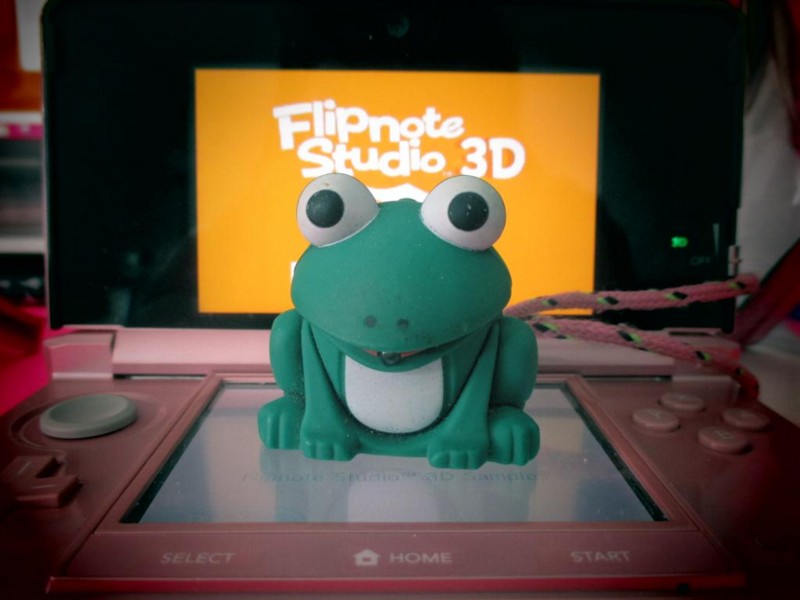
★ DaUsername (id:theusername) discovered this little frog while doing some house cleaning.

What did you think about the weekly news this week? Let us know by telling us your feedback in the box below.
You can read comments posted by Nintendo DSi users by viewing the Flipnote below:

